


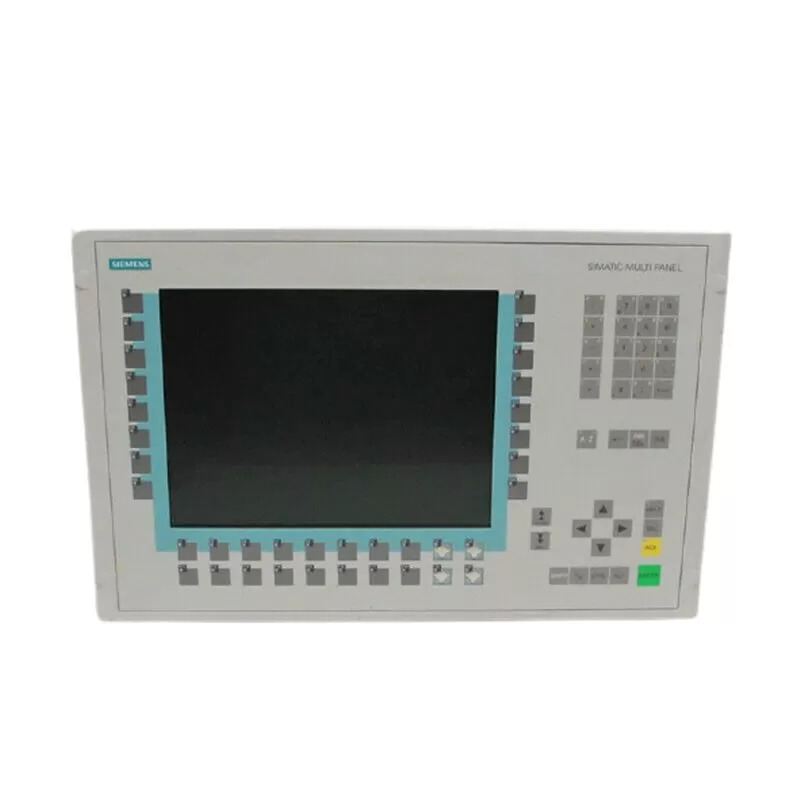
Siemens 6AV6542-0DA10-0AX0 TP 177B
Price range: € 1.552,00 through € 1.999,00
The Siemens 6AV6542-0DA10-0AX0 is a TP 177B 4" touch panel belonging to the SIMATIC HMI family of operator panels. This unit is designed for machine-level visualization and operator control tasks, offering a compact form factor suitable for panel integration. It is part of the 177 series, which bridges the gap between entry-level and mid-range HMI solutions in the Siemens portfolio.
The TP 177B 6AV6542-0DA10-0AX0 features a 4-inch STN color display with a resolution of 320 x 240 pixels (QVGA) and resistive touch screen technology. It supports communication via MPI and PROFIBUS DP interfaces, enabling direct integration with SIMATIC S7-200, S7-300, and S7-400 PLCs. The panel runs on a 24 V DC supply and is configured using WinCC flexible 2005 or later engineering software. Onboard memory supports project storage and recipe management within the constraints of the panel's flash memory capacity.
The TP 177B is widely deployed in manufacturing machinery, packaging equipment, and process automation systems where a compact, cost-effective HMI is required. Its robust construction and IP65 front protection rating make it suitable for industrial environments with exposure to dust and water spray. The panel is commonly found in food and beverage, automotive, and general machine-building applications where straightforward visualization and operator input are the primary requirements.
Technical Specifications
| Display Size | 4 inch |
|---|---|
| Display Resolution | 320 x 240 pixels (QVGA) |
| Display Type | STN color LCD |
| Display Colors | 256 colors |
| Touch Technology | Resistive touch screen |
| Input Voltage | 24 V DC |
| Power Consumption | Max. 6 W |
| Communication Interface | MPI, PROFIBUS DP (RS 485) |
| Engineering Software | WinCC flexible 2005 or later |
| IP Rating (Front) | IP65 |
| IP Rating (Rear) | IP20 |
| Operating Temperature | 0 °C to +50 °C |
| Storage Temperature | -20 °C to +60 °C |
| Relative Humidity | 10% to 90%, non-condensing |
| Mounting | Panel mounting |
| Certifications | CE, UL, cULus |
Common Error Codes & System Events
- Event ID: 10000
- Communication error between the HMI panel and the connected PLC. The configured connection cannot be established or has been interrupted.
Check MPI or PROFIBUS DP cable connections and termination resistors. Verify the PLC address settings match the HMI project configuration. Ensure the PLC is powered and in RUN mode. - Event ID: 10001
- Connection to PLC timed out. The HMI did not receive a response from the controller within the expected time window.
Check network cabling and connectors. Verify baud rate and station address settings on both the HMI and PLC. Restart both devices if the connection is not re-established automatically. - Event ID: 20000
- Project download error. A fault occurred during the transfer of the project from the engineering PC to the HMI panel.
Verify the transfer cable or network connection between the PC and HMI. Ensure WinCC flexible is using the correct transfer settings and that the HMI is in transfer mode before initiating the download. - Event ID: 40000
- System memory low. The available memory on the HMI panel is insufficient to load or run the current project.
Reduce the project size by removing unused screens, graphics, or recipes. Ensure no unnecessary background tasks are running. Consider using a panel with greater memory capacity if the project cannot be reduced. - Event ID: 50000
- Tag read/write error. A specific tag in the project could not be read from or written to the PLC.
Verify the tag address in WinCC flexible matches the actual PLC memory address. Check that the PLC program has not been modified in a way that removes or relocates the referenced data block or variable. - Event ID: 70000
- Recipe data error. An error occurred while reading or writing recipe data, possibly due to a mismatch between the recipe structure in the project and the stored data.
Check the recipe configuration in WinCC flexible for consistency. Delete and re-create the recipe data on the panel if the structure has changed. Ensure sufficient memory is available for recipe storage.
Frequently Asked Questions
Which PLCs are compatible with the Siemens TP 177B 6AV6542-0DA10-0AX0?
The TP 177B is compatible with SIMATIC S7-200, S7-300, and S7-400 PLCs via MPI or PROFIBUS DP interfaces. It can also communicate with other controllers that support these protocols.
What engineering software is required to configure this HMI panel?
The TP 177B requires Siemens WinCC flexible 2005 or a later version for project creation and download. Earlier versions of WinCC flexible may not support all features of this panel.
What is the supply voltage for the 6AV6542-0DA10-0AX0?
The panel operates on a 24 V DC supply voltage. Ensure the power supply is within the specified tolerance range to avoid operational issues.
What is the front protection rating of the TP 177B?
The front panel of the TP 177B carries an IP65 protection rating, making it resistant to dust ingress and water jets. The rear of the unit is rated IP20.
Can the TP 177B panel be used with PROFIBUS DP networks?
Yes, the 6AV6542-0DA10-0AX0 supports PROFIBUS DP communication via its RS 485 interface, allowing integration into existing PROFIBUS DP networks alongside compatible Siemens PLCs and other devices.
Troubleshooting
Display remains blank after power on
Measure the 24 V DC supply voltage at the panel's power connector. Check for correct polarity. Inspect the internal fuse if accessible.
Correct any wiring errors or supply voltage issues. If the supply is confirmed good and the display remains blank, the internal power supply or display backlight may have failed and the unit should be sent for repair or replacement.
Touch screen does not respond or responds inaccurately
Check whether the touch screen is physically damaged or contaminated. Attempt to recalibrate the touch screen through the panel's start center or service menu.
Clean the touch screen surface with a soft, dry cloth. Perform a touch screen calibration via the panel's operating system menu. If calibration does not resolve the issue, the touch screen overlay may need to be replaced.
HMI cannot establish communication with the PLC
Verify MPI or PROFIBUS DP cable connections at both the HMI and PLC ends. Check that the bus termination resistors are correctly placed at both ends of the network segment. Confirm the station addresses and baud rate settings match in both the HMI project and the PLC configuration.
Correct any wiring or termination errors. Update the HMI project settings in WinCC flexible to match the PLC network parameters and re-download the project. Replace the communication cable if it is damaged.
Project download fails or transfer is interrupted
Check the USB or serial transfer cable connection between the engineering PC and the HMI. Ensure the HMI is set to transfer mode before initiating the download from WinCC flexible.
Restart both the PC and the HMI panel and retry the transfer. Use a known-good transfer cable. Verify that the correct COM port or USB interface is selected in WinCC flexible transfer settings.
Panel displays 'No project' or loads an incorrect project after restart
Check whether the project was successfully downloaded and saved to the panel's flash memory. A failed or incomplete download may leave the panel without a valid project.
Re-download the correct project from WinCC flexible, ensuring the transfer completes without interruption. Verify that the panel has sufficient free memory to store the project before initiating the transfer.
| Condition | Repair, Used, Refurbished, New in box (sealed) |
|---|
Related products
-
Siemens 6AV6545-8CC10-0AA0 Mobile Panel 177
€ 1.247,00 -
Siemens 6AV3627-1QK00-2AX0 OP27
Price range: € 749,00 through € 1.658,00 -
Siemens 6AV6545-0AA15-2AX0 TP 270
Price range: € 399,00 through € 1.149,00


