


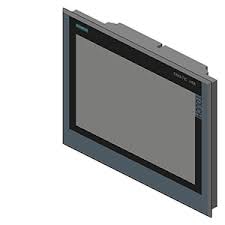
Siemens 6AV2144-8QC10-0AA0 SIMATIC HMI KP1200 Comfort
€ 1.638,00
The Siemens SIMATIC HMI KP1200 Comfort (part number 6AV2144-8QC10-0AA0) is a high-performance key/touch panel belonging to the SIMATIC Comfort Panel family. It features a 12-inch widescreen display and is designed for demanding machine-level visualization and operator control tasks. This panel is part of Siemens' premium HMI line, offering advanced functionality for industrial automation environments.
The KP1200 Comfort panel is equipped with a 12.1-inch TFT widescreen display with a resolution of 1280 x 800 pixels and 16 million colors, providing clear and detailed process visualization. It supports both touch and key operation, featuring 26 configurable function keys with LEDs. The panel includes PROFINET and MPI/PROFIBUS interfaces for flexible integration into automation networks, along with USB host and device ports. It runs on a robust operating system with 24 MB user memory for applications and supports high-speed data logging and recipe management.
The KP1200 Comfort is widely used in machine building, automotive manufacturing, food and beverage processing, and chemical industries where reliable operator interaction is critical. Its combination of key and touch operation makes it suitable for environments where gloved operation or high-precision input is required. The panel integrates seamlessly with Siemens S7-300, S7-400, S7-1200, and S7-1500 PLC families, as well as third-party controllers via open communication protocols.
Technical Specifications
| Display Size | 12.1 inch |
|---|---|
| Display Resolution | 1280 x 800 pixels |
| Display Colors | 16,777,216 (16 million) |
| Display Type | TFT widescreen |
| Touch Technology | Resistive touch + 26 function keys with LEDs |
| Input/Operating Voltage | 24 V DC |
| Power Consumption | Max. 30 W |
| Communication Interface | PROFINET (2x RJ45), MPI/PROFIBUS DP (RS 422/485), USB 2.0 (host and device) |
| User Memory | 24 MB |
| Operating Temperature | 0 °C to +50 °C |
| Storage Temperature | -20 °C to +60 °C |
| Relative Humidity | 10% to 90% (non-condensing) |
| IP Rating (Front) | IP65 |
| IP Rating (Rear) | IP20 |
| Mounting | Panel mounting |
| Certifications | CE, UL, cULus, ATEX Zone 2 |
Common Error Codes & System Events
- Event ID: 10000
- Communication error between HMI panel and PLC controller. Connection to the configured PLC could not be established or was interrupted.
Check PROFINET or PROFIBUS cable connections and verify IP address or station address configuration in TIA Portal. Ensure the PLC is in RUN mode. - Event ID: 10001
- Tag read error. The HMI panel cannot read a configured tag from the PLC.
Verify the tag address exists in the PLC program and that the data block or memory area is accessible. Check for address mismatches in the HMI project. - Event ID: 10002
- Tag write error. The HMI panel cannot write a value to a configured PLC tag.
Check that the target PLC memory area is not write-protected. Verify the tag address and data type match between the HMI project and PLC program. - Event ID: 20000
- Project download error. A project transfer to the panel failed or was interrupted.
Check the USB or PROFINET connection used for transfer. Ensure sufficient free memory on the panel and that the correct panel type is selected in TIA Portal. - Event ID: 40000
- System memory low. Available runtime memory on the panel is critically low.
Reduce the number of simultaneously active screens or objects. Archive or delete old data logs and alarm logs stored on the panel. - Event ID: 50000
- Backup/restore error. A backup or restore operation of the panel project or data failed.
Ensure the USB storage device is properly formatted (FAT32) and has sufficient free space. Retry the backup/restore operation from the Start Center menu. - Event ID: 70010
- Screen saver or display hardware fault. The display backlight or screen saver function has encountered an error.
Check the display backlight settings in the panel configuration. If the backlight has failed, the panel may require hardware repair or backlight replacement.
Frequently Asked Questions
What PLC families are compatible with the KP1200 Comfort panel?
The KP1200 Comfort is compatible with Siemens S7-300, S7-400, S7-1200, and S7-1500 PLCs via PROFINET or MPI/PROFIBUS. It also supports third-party controllers through open communication drivers available in TIA Portal.
What software is required to program the KP1200 Comfort?
The panel is configured using Siemens TIA Portal with the WinCC (TIA Portal) engineering software. It is not compatible with the older WinCC flexible software.
Does the KP1200 Comfort support both touch and key operation?
Yes, the panel supports both resistive touch input and physical key operation via 26 configurable function keys, each equipped with an LED indicator.
What is the supply voltage for the 6AV2144-8QC10-0AA0?
The panel operates on 24 V DC with a maximum power consumption of approximately 30 W.
What is the front panel protection rating of the KP1200 Comfort?
The front panel carries an IP65 protection rating, making it suitable for use in environments where dust and water jets may be present.
Troubleshooting
Display remains blank after power on
Measure 24 V DC supply voltage at the power connector on the rear of the panel. Check that polarity is correct and voltage is within the 19.2–28.8 V DC tolerance range.
Correct the supply voltage or wiring if out of range. If voltage is correct and display remains blank, the internal power supply or backlight may have failed and the unit should be sent for repair.
Panel does not communicate with PLC via PROFINET
Check the PROFINET cable and RJ45 connector integrity. Verify the IP address assigned to the panel in TIA Portal matches the actual panel network settings found in the Start Center.
Correct any IP address mismatch via the panel's Start Center network settings. Replace faulty cables or connectors. Ensure the PLC project has the correct HMI device configured in the network view.
Touchscreen does not respond or responds inaccurately
Check for physical damage or contamination on the touch surface. Attempt to recalibrate the touchscreen via the panel's Start Center under Settings.
Clean the touch surface with a soft, dry cloth. Perform a touchscreen calibration from the Start Center. If the issue persists after calibration, the touch panel overlay may require replacement.
Project transfer from TIA Portal fails
Verify the transfer connection type (PROFINET or USB) and check that the panel is in Transfer mode, accessible from the Start Center. Confirm the TIA Portal project targets the correct panel type and firmware version.
Set the panel to Transfer mode manually via the Start Center. Update the panel firmware if there is a version mismatch. Try an alternative transfer method (USB instead of PROFINET) to isolate the issue.
Function key LEDs do not illuminate
Check the HMI project configuration in TIA Portal to verify that LED output bits are correctly assigned to the function keys. Monitor the PLC output area controlling the LED bits during runtime.
Correct the LED bit assignments in the TIA Portal project and reload the project to the panel. If LEDs remain off after correct configuration, the key panel hardware may have a fault requiring repair.
| Condition | Repair, Used, Refurbished, New in box (sealed) |
|---|
Related products
-
Siemens 6AV6642-0BC01-1AX1 TP177B
Price range: € 657,00 through € 1.249,00 -
Siemens 6AV6643-0AA01-1AX1 TP277
€ 249,00 -
Siemens 6AV6545-8CC10-0AA0 Mobile Panel 177
€ 1.247,00


