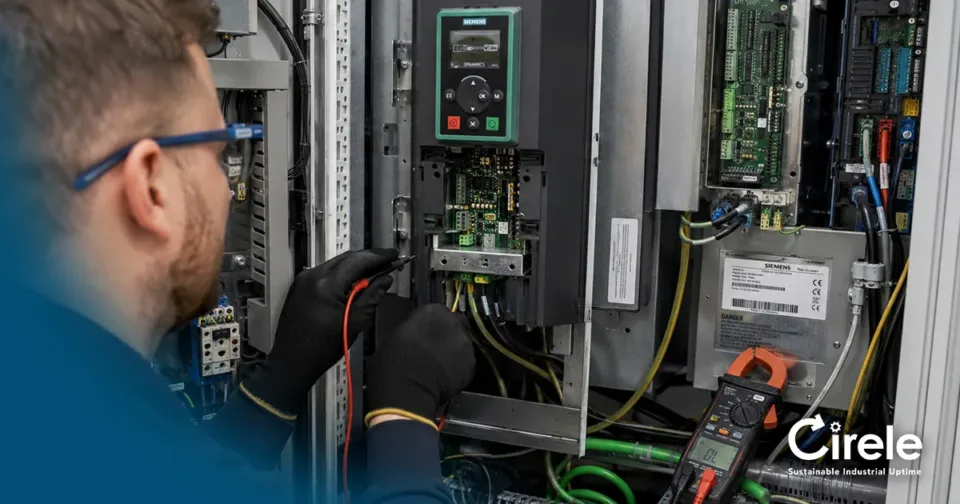
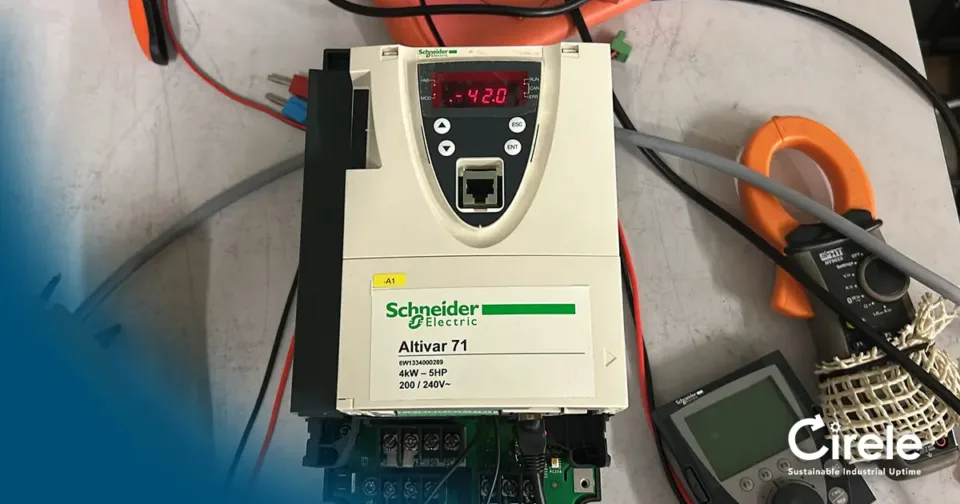
A faulty HMI can quickly lead to production downtime or serious machine operation problems. The screen remains black, the touchscreen no longer responds, the operator panel does not start up, or communication with the PLC is lost. For the maintenance team, the key question is: is the HMI itself defective, or is the issue caused by the power supply, wiring, PLC, communication network or software?
Cirele helps maintenance departments, service engineers and maintenance planners with HMI repair, touch panel repair, operator panel repair, refurbished HMI supply and new replacement options. We work with industrial operator panels such as Siemens HMI panels, Siemens TP700, Siemens TP1200, Siemens MP277, Omron HMI panels, Schneider Magelis panels and many other industrial touch panels.
In this article, you will learn which HMI faults are most common, what your maintenance team can safely check, and when HMI repair or replacement is the best solution.
Common Symptoms of a Faulty HMI
An HMI or operator panel is often the central control point of a machine. When the panel fails, the operator may no longer be able to change settings, reset alarms, select recipes or view process information. As a result, a relatively small electronics fault can quickly become a major production issue.
Common HMI faults include:
- HMI screen remains black.
- Display no longer lights up.
- Touchscreen does not respond.
- Touchscreen responds slowly or incorrectly.
- Front glass is cracked.
- Backlight is defective.
- Lines, spots or marks appear on the display.
- HMI does not boot past the logo.
- Operator panel freezes during startup.
- Communication with the PLC is lost.
- Profinet, Profibus, MPI or Ethernet connection fails.
- USB, SD card or memory function no longer works.
- Image is barely visible.
- HMI shuts down randomly.
- Error message appears during startup.
- Housing, membrane or front panel is damaged.
With these symptoms, it is important to distinguish between a fault inside the HMI and a problem elsewhere in the installation.
HMI Screen Black: What Could Be the Cause?
An HMI screen black fault does not always mean that the complete operator panel is defective. In some cases, the HMI still runs internally, but only the display, backlight or screen power supply has failed.
Possible causes of a black HMI screen include:
- No 24V DC power supply.
- Defective internal power supply.
- Defective backlight.
- Defective display.
- Loose internal flat cable.
- Damaged PCB.
- Short circuit caused by moisture or contamination.
- Ageing electronic components.
- Defective fuse or protection circuit.
- HMI does not boot due to software or memory damage.
- Mechanical damage after impact.
A useful first check is this: are any LEDs still on, do you hear relay activity, or is there network activity on the Ethernet port? If so, the HMI may not be completely dead, and the problem may be limited to the display section.
HMI Touchscreen Not Responding
A very common issue is an HMI touchscreen not responding. The operator can still see the screen, but pressing buttons no longer works or only works in certain areas. This can be frustrating and may create operational risks when machine control is no longer reliable.
Possible causes include:
- Worn touchscreen membrane.
- Cracked front glass.
- Dirt, oil or chemical damage on the front.
- Defective touch controller.
- Loose or damaged flat cable.
- Moisture behind the front panel.
- Incorrect calibration.
- Mechanical pressure damage.
- Ageing caused by intensive daily use.
In many older operator panels, the touchscreen layer is a wear part. Machines that are operated every day often develop issues after years of use, such as poor touch sensitivity, dead zones or incorrect touch registration.
Cracked Front Glass or Damaged Membrane
A cracked front or damaged membrane may appear to be only cosmetic, but it can have serious consequences. Moisture, dust and cleaning agents can enter through cracks or damaged areas. Over time, this can also damage the PCB, touch controller or display electronics.
HMI repair is often worthwhile when:
- the panel still powers up;
- only the front glass, touchscreen membrane or display is damaged;
- the part number is difficult to source;
- the machine must return to reliable operation quickly;
- the HMI project or machine program is still stored on the panel.
Cirele can assess whether only the front, touchscreen layer, display or internal electronics need to be repaired.
Defective Backlight or Very Dim Display
Sometimes the HMI appears to have a black screen, but when viewed at an angle or with a flashlight, a faint image is still visible. In that case, the HMI backlight may be defective. This is a common issue with older industrial HMIs and operator panels.
Typical signs of a backlight problem are:
- Display is very dark.
- Image is only visible with a flashlight or at an angle.
- HMI still works, but the display is almost unreadable.
- Touchscreen may still respond.
- Brightness is uneven.
- Screen turns dark after some time.
Backlight repair can be a good solution when the panel still functions and replacement would cause additional engineering work or extended downtime.
Lines, Spots or Flickering Display
Lines on the display, flickering images or dark spots can indicate a defective LCD display, loose connection or damaged electronics. Moisture or mechanical stress can also cause these issues.
Common causes include:
- defective LCD display;
- loose flat cable;
- damaged display driver;
- pressure damage;
- moisture or corrosion;
- ageing components;
- voltage problems;
- internal PCB damage.
If the display still works partially, it is wise to take photos of error messages, software versions and screen information as soon as possible. This can help during diagnosis and repair assessment.
HMI Startup Problem
An HMI that does not boot past the logo or keeps restarting may have a startup issue. This can be caused by hardware or software problems.
Possible causes include:
- defective internal memory;
- corrupted firmware;
- damaged HMI project file;
- power supply problem;
- defective capacitors;
- CPU board fault;
- defective storage card;
- incorrect update or failed download.
With startup problems, it is important to know whether a backup or project file is available. Without a backup, replacement can be more difficult, especially on older machines where the original software is no longer available.
Communication Loss with the PLC
An HMI can power up correctly but still fail to communicate with the PLC. The operator may see messages such as “PLC not reachable”, “connection lost” or communication errors via Profinet, Profibus, MPI, Ethernet or serial communication.
Possible causes include:
- defective network port;
- damaged connector;
- cable break;
- incorrect IP setting;
- PLC is stopped;
- PLC CPU is in stop mode;
- defective switch;
- Profinet or Profibus issue;
- wrong HMI project loaded;
- defective communication interface.
Always check whether the PLC is still running and whether other devices in the same network communicate normally. This prevents a working HMI from being incorrectly diagnosed as defective.
What Can the Maintenance Team Check Safely?
Before removing or sending in the HMI, the maintenance team can perform several basic checks. These should only be carried out according to the applicable safety procedures and by qualified personnel.
1. Check the 24V DC Power Supply
Many HMIs operate on 24V DC. Check whether the correct voltage is present at the HMI power terminals. Do not only measure at the power supply unit, but also directly at the operator panel. A loose terminal, cable break or poor connector can cause voltage loss.
2. Check Connectors and Plugs
Check whether power connectors, Ethernet cables, Profibus connectors, Profinet cables, MPI connections and serial cables are properly connected. Also look for bent pins, corrosion or cable damage.
3. Check Fuses and Protection Devices
A blown fuse or tripped protection device can cause the HMI to be completely without power. Also check whether other components on the same 24V power supply are still functioning normally.
4. Check the Network Cable
In case of communication problems, check the network cable, switch port and connector. Where possible, test with a known-good cable or port without changing settings.
5. Check Whether the PLC Is Running
If the HMI does not show data or reports communication loss, check whether the PLC is still in run mode. A PLC in stop mode or a defective PLC communication port can look like an HMI fault.
6. Check Whether Only the Display Is Defective
With a black HMI screen, the panel may still be operating internally. Check whether status LEDs are on, whether there is network activity and whether the device still responds in the network.
7. Take Photos Before Removal
Take photos of the error message, wiring, connectors, nameplate and mounting position. This helps with diagnosis, HMI repair and possible replacement.
When Is HMI Repair Worthwhile?
A faulty operator panel does not always need to be replaced immediately. In many cases, HMI repair is the fastest and most logical solution.
Repair is especially worthwhile when:
- the machine program is still stored on the old HMI;
- no current backup is available;
- a new panel is not immediately available;
- the panel is end-of-life or obsolete;
- retrofit requires significant engineering;
- the machine is built around this specific operator interface;
- the dimensions or panel cut-out must remain exactly the same;
- communication settings are complex;
- downtime must be kept as short as possible.
For older machines, an HMI is often more than just a screen. It may contain operating logic, recipes, settings, alarm texts, communication configuration and important machine information. That is why one-to-one replacement is not always simple.
Siemens HMI Repair
Many maintenance departments search specifically for Siemens HMI repair. Siemens operator panels are widely used in machines and production lines. Common series include:
- Siemens TP700 Comfort
- Siemens TP900 Comfort
- Siemens TP1200 Comfort
- Siemens TP1500 Comfort
- Siemens MP277
- Siemens MP377
- Siemens KTP panels
- Siemens Basic Panels
- Siemens Comfort Panels
Common Siemens HMI faults include a black screen, defective touchscreen, cracked front glass, backlight failure, startup problems or communication loss with the PLC.
Cirele can assess whether repair is possible, whether a refurbished Siemens HMI is available, or whether a new alternative is technically the better choice.
Omron HMI Repair
Omron HMI panels are also widely used in industrial production environments. Faults often occur due to intensive use, touchscreen wear, power supply problems or display issues.
Common faults include:
- touchscreen not responding;
- display remains black;
- damaged screen or front panel;
- HMI does not boot;
- communication with PLC is lost;
- front membrane is worn.
For Omron HMI repair, the exact article number is important because there are many variants with different screen sizes, communication ports and software versions.
Schneider Magelis Repair
Schneider Magelis panels are used in many machines, production lines and process installations. Defective touchscreens, black screens, backlight problems and startup faults are common issues.
Repair or refurbished replacement can be useful when:
- the same Magelis panel is not quickly available;
- the machine cannot easily be modified;
- the software or configuration is not available;
- the HMI must fit mechanically in the same cut-out;
- downtime must be limited.
Cirele helps with the technical assessment of Schneider Magelis HMI panels and other Schneider operator panels.
Touch Panel Repair or Complete Replacement?
With a defective touch panel, there are usually three possible routes.
1. Repair of the Existing HMI
This is often the best option when the program, settings or machine configuration are stored on the existing HMI. Repair is also attractive for obsolete operator panels.
2. Refurbished Replacement HMI
When the machine needs to run again quickly, a refurbished HMI with the same part number can be the fastest solution. The defective HMI can then be repaired later as a spare.
3. New Panel or Retrofit
When the old type is no longer reliably available, or when the machine is being modernised, a new alternative may be better. Keep in mind that this often requires engineering: software migration, communication settings, screen resolution, panel cut-out, wiring and PLC connection must all be checked.
Why You Should Not Simply Install a Different HMI Panel
Replacing an HMI may look simple, but in practice it is often more than just exchanging a screen. Even when the size looks similar, software, firmware, communication and project files may differ.
Important points to check before replacement:
- Is the exact part number the same?
- Is the firmware version suitable?
- Is the project file available?
- Is the engineering software version known?
- Does the panel fit mechanically in the existing cut-out?
- Are Profinet, Profibus, MPI or serial ports the same?
- Is the IP address or node setting known?
- Are recipes, alarm texts or user rights stored on the panel?
- Is there a backup of the old HMI?
Without this information, what looks like a quick replacement can still result in extended downtime.
What Information Should You Send for a Fast Assessment?
For a fast diagnosis or quotation, it is important that we receive the correct information immediately.
Ideally, send us:
- brand;
- article number;
- type code;
- serial number;
- fault description;
- photo of the nameplate;
- photo of the screen or error message;
- photo of any visible damage;
- information about the machine or application;
- whether production is currently down;
- whether a backup or project file is available;
- whether you want repair, replacement or both to be assessed.
The more complete the information, the faster we can determine the best solution.
HMI Defective? Cirele Helps with Repair, Refurbished Supply or a New Alternative
A black HMI screen, defective touchscreen or operator panel fault can make an entire machine unusable. For the maintenance team, it is important to quickly determine whether the problem is inside the HMI or caused by the power supply, PLC, wiring or communication.
Cirele helps with HMI repair, touch panel repair, operator panel repair, Siemens HMI repair, Omron HMI repair, Schneider Magelis repair and the supply of refurbished or new operator panels. We think practically: how can we get your machine running again as quickly and reliably as possible?
Send the article number and a photo of the fault to Cirele. We will assess whether repair or replacement is the fastest route.
Send us the brand, article number and a short fault description. We will assess whether repair, refurbished supply or new supply is the best solution.