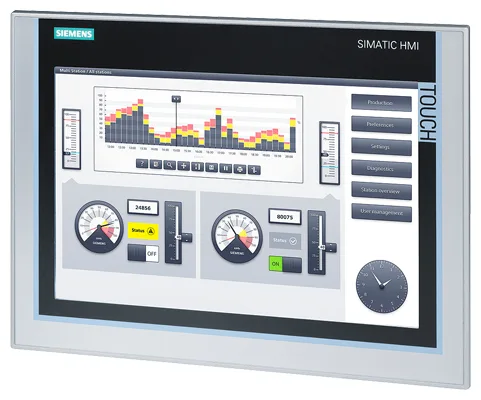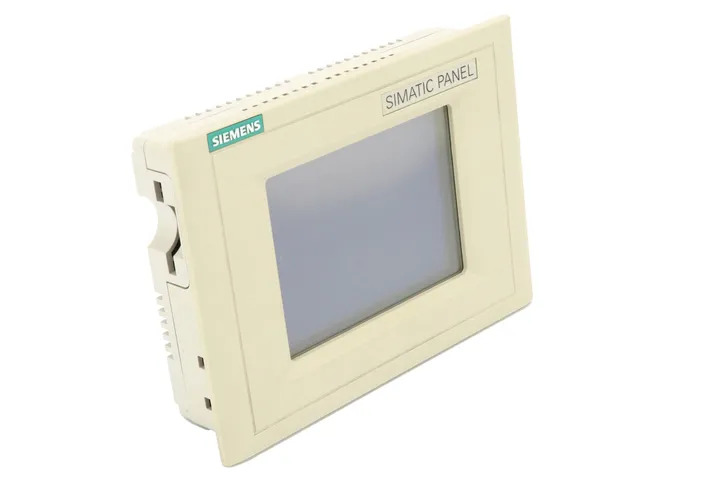


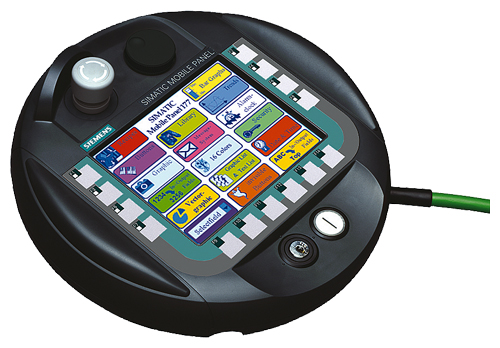
Siemens 6AV6645-0BA01-0AX0 SIMATIC MP 277
Price range: € 1.160,00 through € 4.899,00
The Siemens SIMATIC MP 277 (part number 6AV6645-0BA01-0AX0) is a multi-panel human-machine interface belonging to the SIMATIC HMI Multi Panel family. It features an 8-inch TFT display and is designed for machine-level visualization and operator control in industrial automation environments. This panel is part of Siemens' established MP 277 series, which bridges the gap between basic operator panels and full PC-based visualization systems.
The 6AV6645-0BA01-0AX0 variant is equipped with a resistive touchscreen and operates on a 24 V DC supply. It runs WinCC flexible runtime software and supports communication via PROFIBUS DP and MPI interfaces, enabling direct connectivity to Siemens S7-300 and S7-400 PLCs. The panel provides 12 MB of user memory for project data, supports recipe management, trend displays, and alarm logging, and is built to withstand the demands of industrial environments with a protection rating of IP65 on the front face.
The SIMATIC MP 277 is widely deployed in manufacturing, automotive, food and beverage, and process industries where reliable operator interaction with PLC-controlled machinery is required. Its compact 8-inch form factor makes it suitable for integration into control cabinets and machine panels where space is limited. The combination of touch operation and compatibility with the Siemens S7 controller family makes it a practical choice for machine builders and system integrators working within the Siemens automation ecosystem.
Technical Specifications
| Display Size | 8 inch |
|---|---|
| Display Type | TFT color LCD |
| Display Resolution | 640 x 480 pixels (VGA) |
| Display Colors | 256 colors |
| Touch Technology | Resistive touchscreen |
| Input/Operating Voltage | 24 V DC |
| Power Consumption | Approx. 18 W |
| User Memory | 12 MB |
| Communication Interface | PROFIBUS DP, MPI |
| Operating Temperature | 0 °C to +50 °C |
| Storage Temperature | -20 °C to +60 °C |
| Relative Humidity | 10% to 90% (non-condensing) |
| IP Rating (Front) | IP65 |
| IP Rating (Rear) | IP20 |
| Mounting | Panel mounting |
| Certifications | CE, UL, cULus |
Common Error Codes and System Events
- Event ID: 10000
- System startup completed. The HMI panel has successfully booted and the runtime environment is active.
No action required. This is an informational system event logged at startup. - Event ID: 20000
- Connection to the PLC has been lost. Communication between the MP 277 and the configured controller cannot be established.
Check PROFIBUS/MPI cable connections and termination resistors. Verify PLC is powered and the configured station address matches the project settings. - Event ID: 20001
- Communication timeout on a configured connection. The PLC did not respond within the expected time window.
Check network cabling and connector integrity. Verify PLC program is running and the communication parameters (baud rate, station address) are correctly configured. - Event ID: 40000
- Project download started. A configuration project is being transferred to the panel.
No action required. Ensure the download process completes without interruption. - Event ID: 40001
- Project download failed. The transfer of the WinCC flexible project to the panel was unsuccessful.
Check the communication cable between the engineering PC and the panel. Verify the WinCC flexible version is compatible with the panel firmware version and retry the download. - Event ID: 50000
- Data backup or restore operation initiated on the panel.
No action required during normal backup. Ensure sufficient storage media capacity and do not power off the panel during the operation. - Event ID: 60000
- Panel firmware update in progress or firmware mismatch detected between the project and the panel.
Update the panel firmware using ProSave or WinCC flexible to match the version required by the project. Ensure power is not interrupted during the firmware update. - Event ID: 70010
- Recipe data error. A recipe record could not be read or written correctly.
Check recipe configuration in WinCC flexible. Verify that the recipe data memory is not full and that the PLC tags linked to the recipe are accessible.
Frequently Asked Questions
Which PLCs are compatible with the SIMATIC MP 277 6AV6645-0BA01-0AX0?
The MP 277 is compatible with Siemens S7-300 and S7-400 PLCs via MPI or PROFIBUS DP interfaces. It can also communicate with S7-200 PLCs and third-party controllers through appropriate protocol drivers configured in WinCC flexible.
What software is used to configure and program the MP 277?
The MP 277 is configured using Siemens WinCC flexible software on an engineering PC. The project is then downloaded to the panel via a PC/PPI cable, MPI adapter, or PROFIBUS connection.
What is the display resolution of the 6AV6645-0BA01-0AX0?
The display resolution is 640 x 480 pixels (VGA) on an 8-inch TFT color screen capable of displaying 256 colors.
Can the MP 277 panel be used outdoors or in wet environments?
The front face of the MP 277 carries an IP65 protection rating, making it resistant to dust and water jets, suitable for installation in control panels exposed to washdowns. The rear of the unit is rated IP20 and must be protected from moisture and contaminants.
How is the MP 277 mounted?
The MP 277 is designed for panel mounting. It is inserted into a cutout in a control cabinet door or operator panel and secured with mounting clamps from the rear.
Troubleshooting
Display remains blank after power on
Measure the 24 V DC supply voltage at the power connector on the rear of the panel. Check that the voltage is within the specified tolerance. Inspect the internal fuse if accessible.
Ensure the 24 V DC supply is stable and within range. If the supply is correct but the display remains blank, the panel may require repair or replacement of the internal power supply board.
Touchscreen does not respond or responds inaccurately
Determine whether the issue is a complete lack of response or positional inaccuracy. A miscalibrated touch surface will cause offset touch registration, while a failed touch controller will result in no response at all.
Perform a touchscreen recalibration through the panel's Control Panel settings in the Windows CE environment. If recalibration does not resolve the issue, the resistive touch overlay may need to be replaced.
HMI cannot establish communication with the PLC
Check the MPI or PROFIBUS DP cable connections at both the panel and PLC ends. Verify bus termination is correctly applied at both ends of the network segment. Confirm the station address configured in the WinCC flexible project matches the PLC address.
Replace or reseat the communication cable. Correct the station address and baud rate settings in the project and re-download. Ensure bus termination resistors are enabled only at the physical ends of the network.
Panel repeatedly reboots or crashes during runtime
Check for unstable 24 V DC power supply, particularly voltage dips under load. Review the system event log for recurring event IDs that may indicate a software or memory fault.
Stabilize the power supply and ensure adequate current capacity. If the issue persists, perform a factory reset and re-download the project. In persistent cases, a firmware update via ProSave may resolve runtime instability.
Project download fails from engineering PC
Verify the communication interface between the PC and the panel (USB, MPI adapter, or PROFIBUS). Check that the WinCC flexible version on the PC is compatible with the firmware version currently installed on the panel.
Update the panel firmware using ProSave to match the WinCC flexible project version. Use a known-good cable and adapter. Temporarily disable PC firewall or antivirus software that may block the transfer, and retry the download.
| Condition | Repair, Used, Refurbished, New in box (sealed) |
|---|
Related products
-
Siemens 6AG1642-0BA01-4AX1 TP177B
€ 1.040,00 -
Siemens 6AV6640-0CA01-0AX0 OP 73micro
Price range: € 279,00 through € 444,13